Changelog
Follow up on the latest improvements and updates.
RSS
You can now attach notes to any rotation—useful for runbooks, handoff context, or anything the on-call person needs to know.
How it works:
- Add or edit notes from the web dashboard or directly in Slack via the bot
- Full history is kept, so you can see what changed and when
- Embed notes in your announcement templates with %ROTATION_NOTES%
Use it for static info (links to dashboards, escalation contacts) or dynamic context that the team updates as things change.
To add notes: open a rotation → Notes tab


You can now set specific times when you're unavailable for rotation duty—directly in Round Robin.
Going part-time? Don't work Fridays? On vacation next month? Set your availability windows, and Round Robin will skip you automatically during those times.
This works alongside your existing Google Calendar OOO sync. Both sources integrate so that you can manage recurring unavailability in your calendar and one-off time off in Round Robin.
To set your availability: Dashboard → Your profile → Availability.


new
improved
New look for Round Robin
We've rebuilt the web dashboard from the ground up.
What's new:
- Redesigned rotation editor— cleaner layout, easier to navigate
- Edit schedules directly in the web app— no need to jump back to Slack for every change
- Mobile improvements— manage rotations properly on smaller screens
- Accessibility improvements— better keyboard navigation and screen reader support
No action needed—log in, and you'll see it.
improved
Rotation
Pro
Webhooks improvement
You can now use the new "setonduty" webhook method to set a specific user on duty directly using the rotation webhook.
The method supports the user's email, so there is no weird Slack Member ID to remember. Check the knowledge base to know more!
new
Webhooks
You can now use incoming webhooks to trigger actions on rotations.
You can reach the webhook page from the rotation details page in the dashboard.

You can get more information here.
The only supported action for now is "
rotate
", but other will follow.Feel free to reach out to support@irrelevantlabs.com if you have requests.
new
Rotation
Pro
Beta
Mentions
We are introducing a new feature in Round Robin, the rotation mention cycle.
With this feature, a user in your Slack Workspace can ask for help from one user on duty without knowing who that user is in advance.
Another compelling thing is that (but PRO is required) you can do a round-robin between the users on duty to distribute answering user requests.
This feature will be handy for users who cannot permit Round Robin to manage user groups.
You can find more details here.
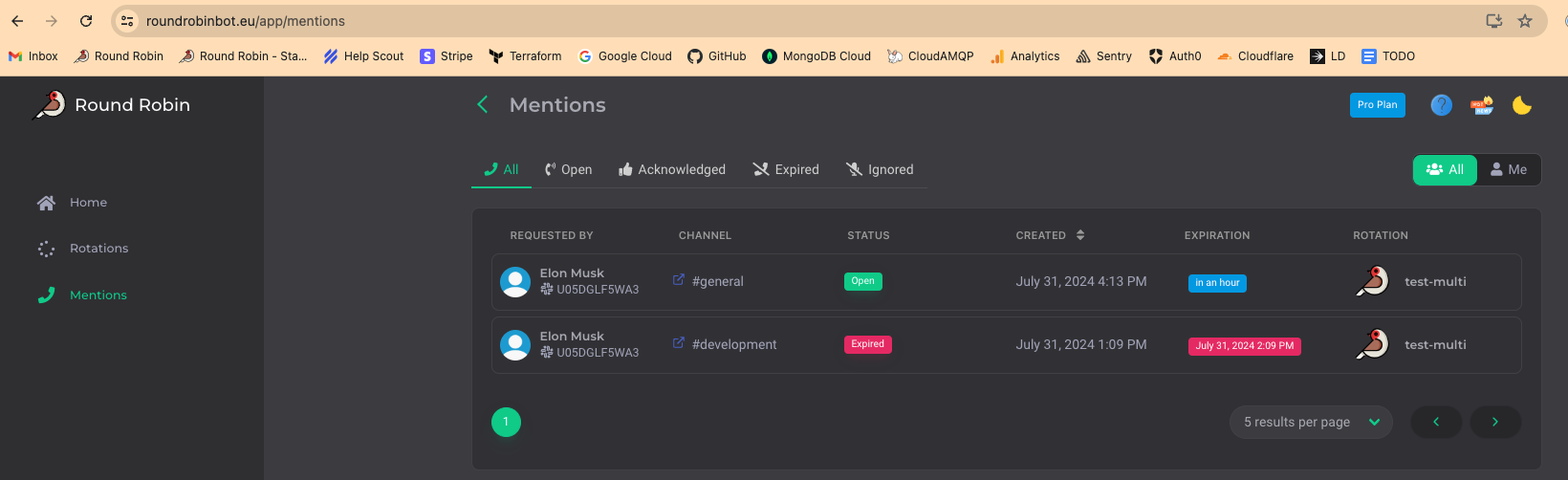
This feature will see more developments over the following weeks, and as much as we think it is stable, we are calling it
BETA
(for now). Please let us know if you think something is not working as expected :)improved
Rotation
Improvements around Google Calendar
You can now control your calendars by choosing which ones Round Robin should use to sync events and out-of-office data.
This is particularly useful when you need to share OOO calendars with your team, giving you the power to stay organized.
Please use the "Change active calendars for events and OOO" item from the Google connection dropdown to do this.
You can also find more information here: https://kb.roundrobinbot.eu/article/25-google-calendar-sync
new
improved
Rotation
Download history
You can now download the history of your rotation as CSV for reporting purposes.
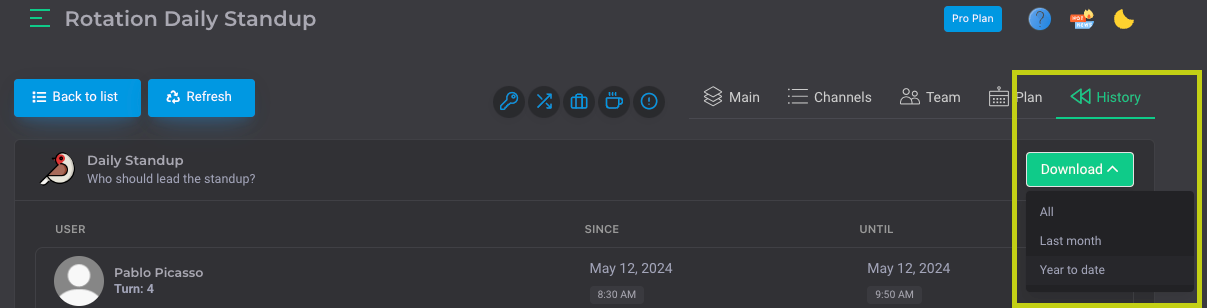
More improvements will follow for the history, so stay tuned!
improved
Scheduling
Rotation
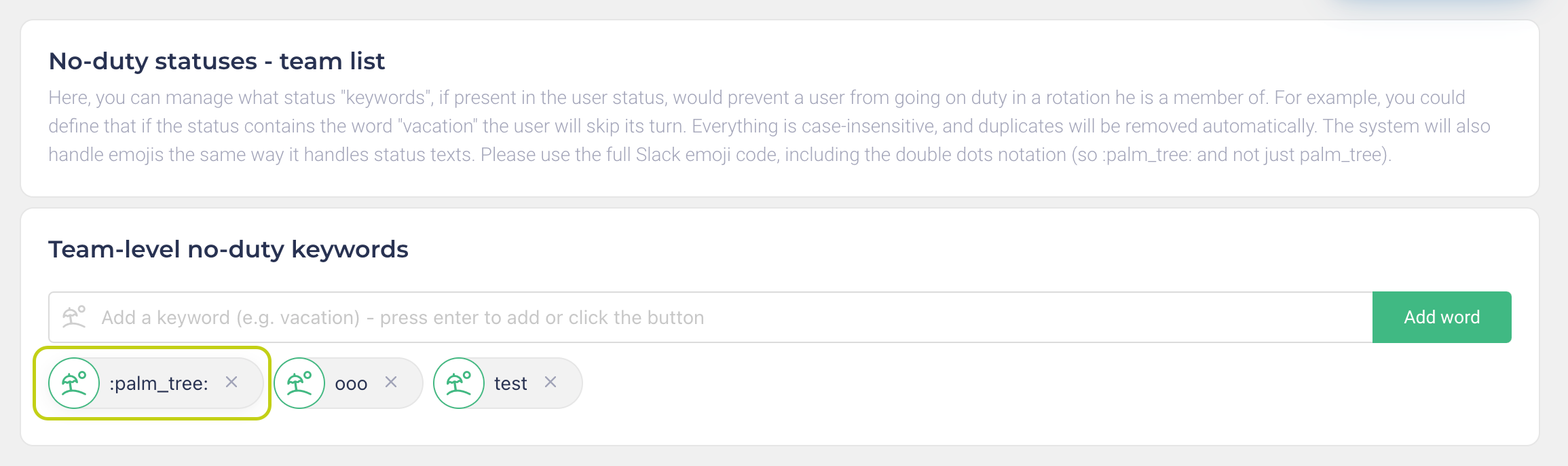
Use emoji to skip duty
On top of the existing function connected to the user status, you can now skip duty also based on the icon of your status (for example, the classic palm tree).
You can do this simply by adding the Slack icon code to the list of non-duty statuses, and the system will take care of the rest.
improved
Scheduling
Improved business-hours rotations
Based on your schedule, you can now skip duties in business hours rotations during weekends and holidays.
You can enable this option inside the rotation options:
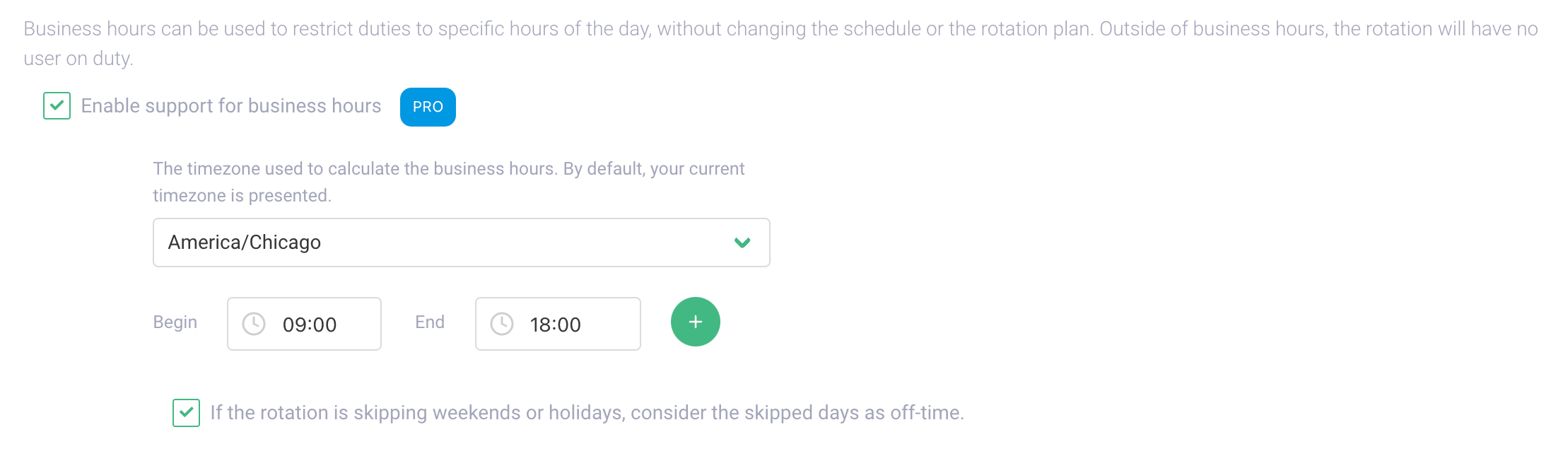
With this option enabled, the user will go offline, for example, on Friday, and it will come back on duty on Monday!
No more
weekend notifications :)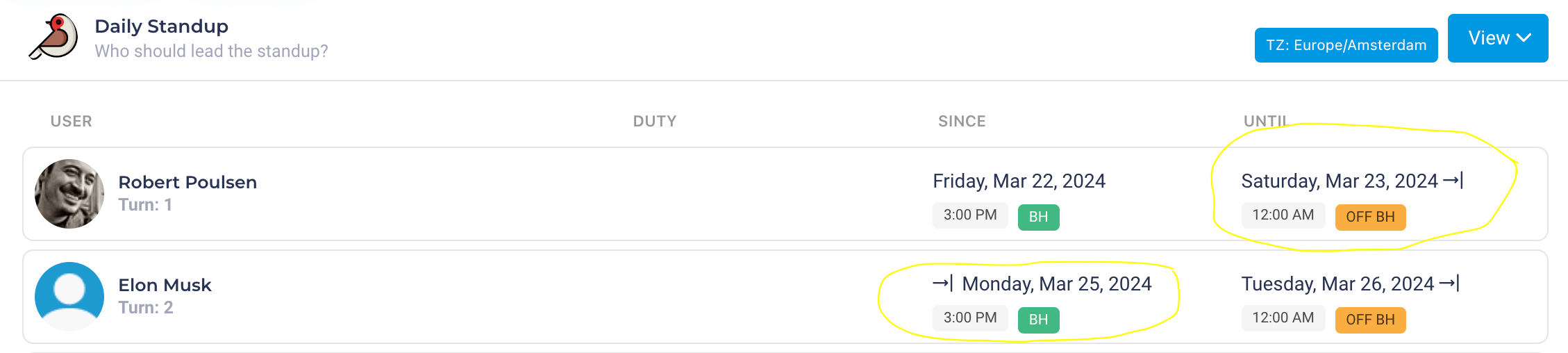
Remember that business hours rotations are a
PRO
feature.Load More
→